Hello Chapter Leaders,
We wanted to make sure you had some information for what to do after your chapter event has concluded and you need to update the attendance roster and/or you need to get PD certificates.
After the event:
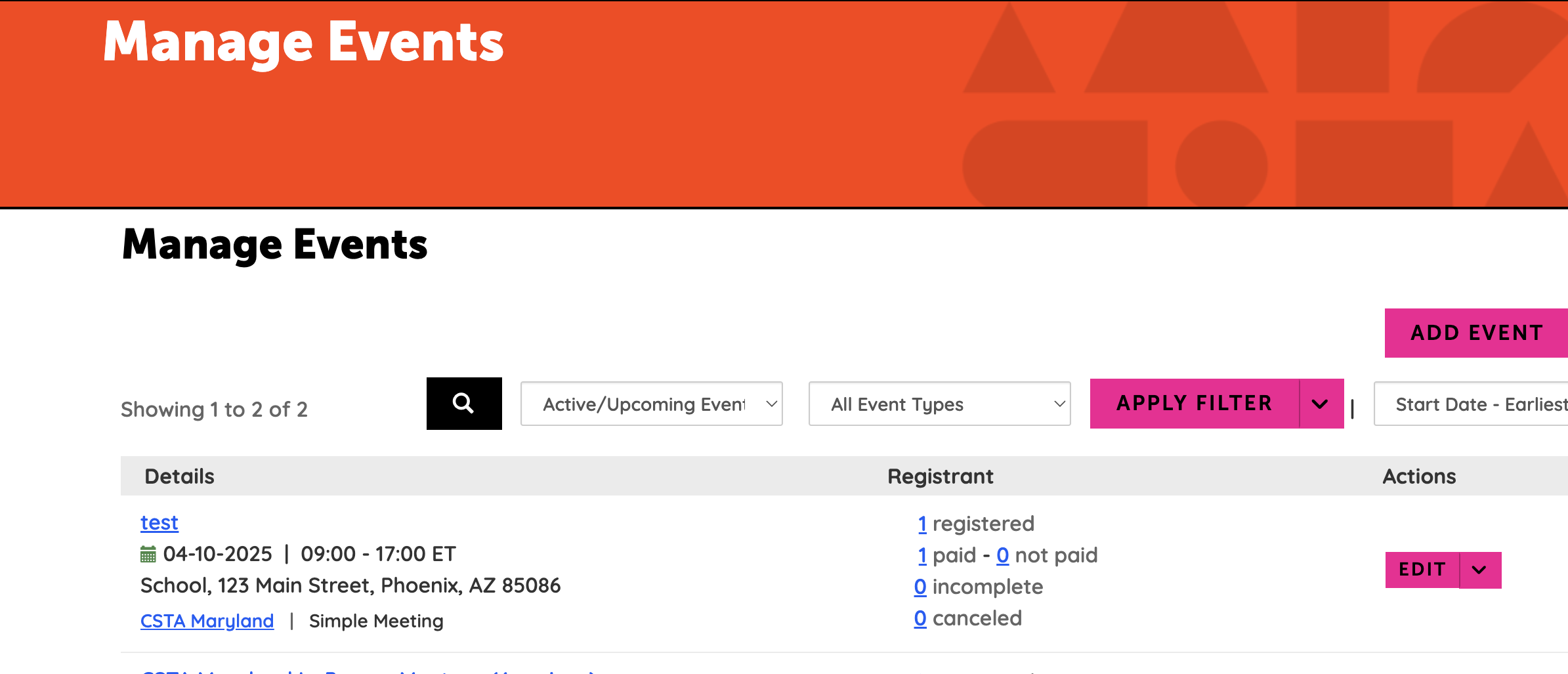
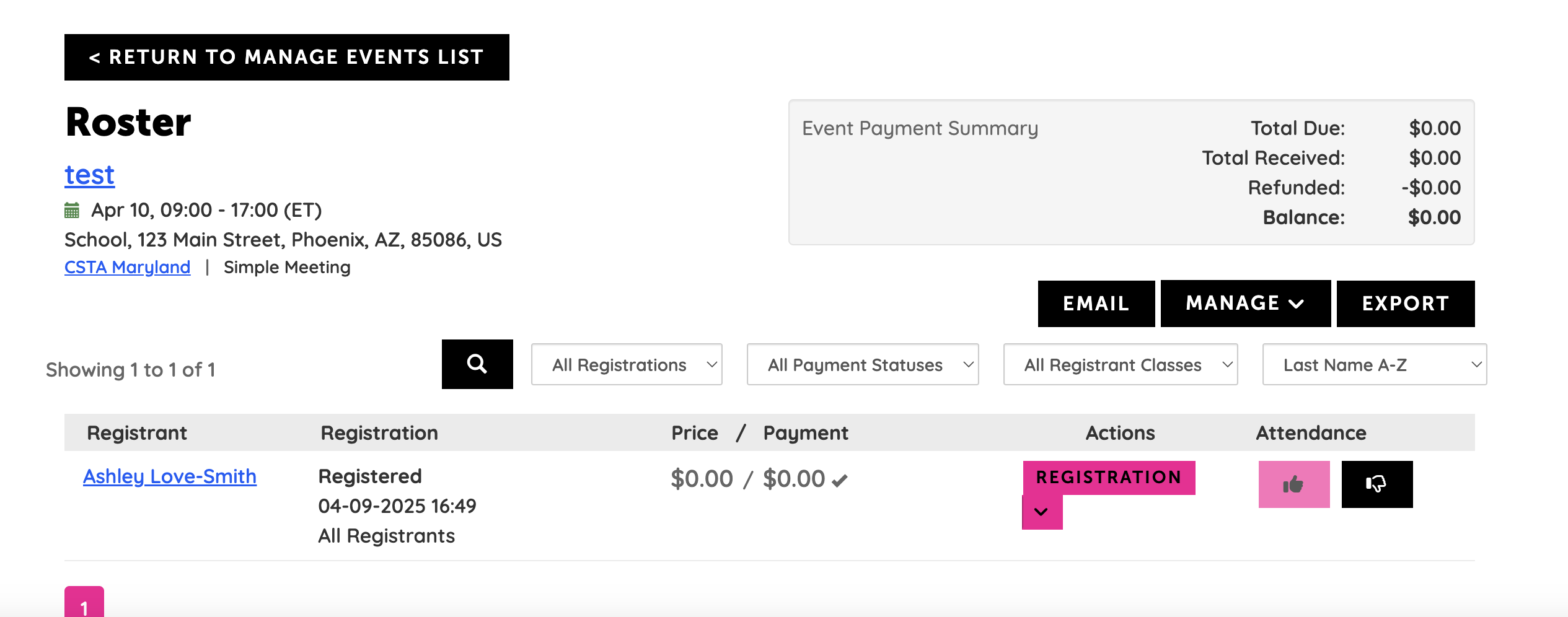
(See images further below) Go to Community Settings, then scroll down to Manage Events. On this page, scroll down to the specific event and then click Edit and select Manage Roster from the dropdown. Next, go down the list of names and click the Thumbs Up or Down to indicate if the person attended. If this is an event with PD hours(credits as the HL system calls them) and you want to make sure the hours appear on the members digital record, please complete the attendance review, then email chapters@csteachers.org with the name and date of your completed event and let us know you want us to upload the information for PD hours.
(Chapter Events Run/Created by Chapters) If your school system or organization needs actual PD certificates for your chapter created events that provide PD, please click this link How to Create and Email Custom Certificates. You will need to just change your chapter logo and the names of the chapter leaders at the bottom of the certificates. You do not have to use the email process listed but it is helpful if you have many dozens of emails to send.
Mange Events Page (Screenshot 1)
Mange Roster (Screenshot 2)
If you have questions, you can always reach out to me ashley.lovesmith@csteachers.org or chapters@csteachers.org.
Thank you!
------------------------------
Ashley Love-Smith
Chapter & Volunteer Services Manager
------------------------------